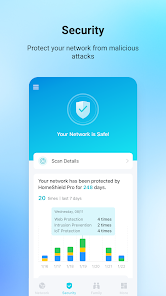
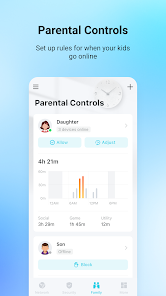
স্ক্রিনশটস (বড় করে দেখতে ছবিতে চাপুন)
App Information (অ্যাপের বিস্তারিত তথ্য)
Last Updated (লাস্ট আপডেট)
on
Total Downloads (মোট ডাউনলোড)
50M+
Developer (ডেভেলপার)
TP-LINK SYSTEMS INC.
Category (ক্যাটাগরি)
Tools
Version (ভার্সন)
v4.15.5
Size (ফাইল সাইজ)
149MB
About this app
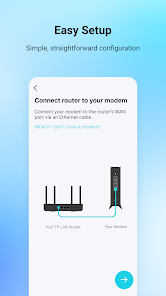
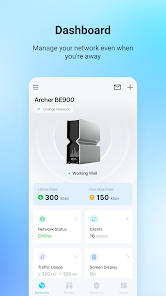
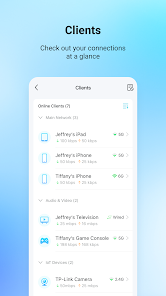
TP-Link Tether provides the easiest way to access and manage your TP-Link Router/
xDSL Router/ Range Extender with your mobile devices. From quick setup to parental controls, Tether provides a simple, intuitive user interface to see your device status, online client devices and their privileges.- Setup SSID, password and Internet or VDSL/ADSL settings of your devices- Block unauthorized users who are accessing your devices- Manage permissions of client devices- Parental control function with schedule and URL-based Internet access
management- Find the best location to place your range extender- Automatically turn off the LEDs at specific time- Manage most of TP-Link devices simultaneouslyCompatible Routershttps://www.tp-link.com/tether/product-list/*To learn how to find the hardware version of your device, go to http://www.tp-link.com/faq-46.htmlMore devices supported by Tether are coming soon!Important Notes ● Upgrade firmware is required. Go to the download page to choose the correct version and download the latest firmware: http://www.tp-link.com/support.html● TP-Link Tether does not work when connected to guest network● For any issue, please contact http://www.tp-link.com/support.html
xDSL Router/ Range Extender with your mobile devices. From quick setup to parental controls, Tether provides a simple, intuitive user interface to see your device status, online client devices and their privileges.- Setup SSID, password and Internet or VDSL/ADSL settings of your devices- Block unauthorized users who are accessing your devices- Manage permissions of client devices- Parental control function with schedule and URL-based Internet access
management- Find the best location to place your range extender- Automatically turn off the LEDs at specific time- Manage most of TP-Link devices simultaneouslyCompatible Routershttps://www.tp-link.com/tether/product-list/*To learn how to find the hardware version of your device, go to http://www.tp-link.com/faq-46.htmlMore devices supported by Tether are coming soon!Important Notes ● Upgrade firmware is required. Go to the download page to choose the correct version and download the latest firmware: http://www.tp-link.com/support.html● TP-Link Tether does not work when connected to guest network● For any issue, please contact http://www.tp-link.com/support.html
রিভিউসমূহ (Reviews)
এখনো কোনো রিভিউ দেওয়া হয়নি। রেটিং অপশনে চাপ দিয়ে প্রথম রিভিউটি আপনি লিখুন!
একই ধরনের অ্যাপস (Related Apps)

HISABI
Tools

Notebook Pro
Tools

Fake Chat Conversation - prank
Tools

Bkash Fake Screenshot Generator
Tools

Claude by Anthropic
Tools

Google Gemini
Tools